Tripod
Around 2008 or so, I became entrenched in the world of indie Apple blogs, podcasts, and the Twitter community that tied it all together. While I was in college, I found out that a few people I knew only online were coming to Dublin to attend Úll, a conference very much tailored to that crowd. I couldn’t afford a ticket, so I came aboard as a volunteer, and subsequently returned to do photography and design work for Úll. I got to make some great connections and lasting friendships as well as the confidence and inspiration to start my own “career” in software. There’s a very direct line between getting into podcasts almost 20 years ago and every aspect of my life today.
Needless to say, podcasts are a very important part of my life, and if you measure the hours a day I spend listening, they make up a substantial portion of it too.
TLDR: I made a podcast app, get a discount by downloading with this link.
Why a podcast app?
I’ve been a steadfast user of Overcast for many years. Before that I used Castro and before that, I used Apple’s own Podcasts app (back when it still looked like a cassette reel). I’ve tried a few others here and there too. But like to-do apps, everyone wants something a little different out of theirs. Over the last few years, I’ve found myself listening to more and more shows about movies, video games, and tv shows (despite not really listening to fewer of the weekly tech news shows I started off with). My playlist in Overcast was growing longer and longer and the tools to manage playlists never really clicked with me. I gave Castro a brief spin again, but similarly, its design is so opinionated that it didn’t feel right for me.
Tripod started out as a quick little experiment to see if a podcast app that fit my needs would work at all. Within a few hours I had something usable and within a few days I had something delightful. As I launch Tripod, it’s been exactly 31 days since the project started and that’s including plenty of work on my other apps. About 2 weeks ago, I set up a Slack channel and started inviting some beta testers. They have provided excellent feedback and have been incredibly responsive, allowing for huge leaps in both polish and usability.
A few people have suggested that it’s crazy to be building a podcast app in 2026. The market doesn’t seem to be growing the way it once did and the big players of Apple, Spotify, and YouTube (whether that should count is a question for another day) have only grown more dominant. And if I were building this by hand, it probably would have taken me a year or more, and almost certainly would have been too big a gamble to commit to. But enough of the how’s and why’s, let’s get into what Tripod is all about.
Try... pod?
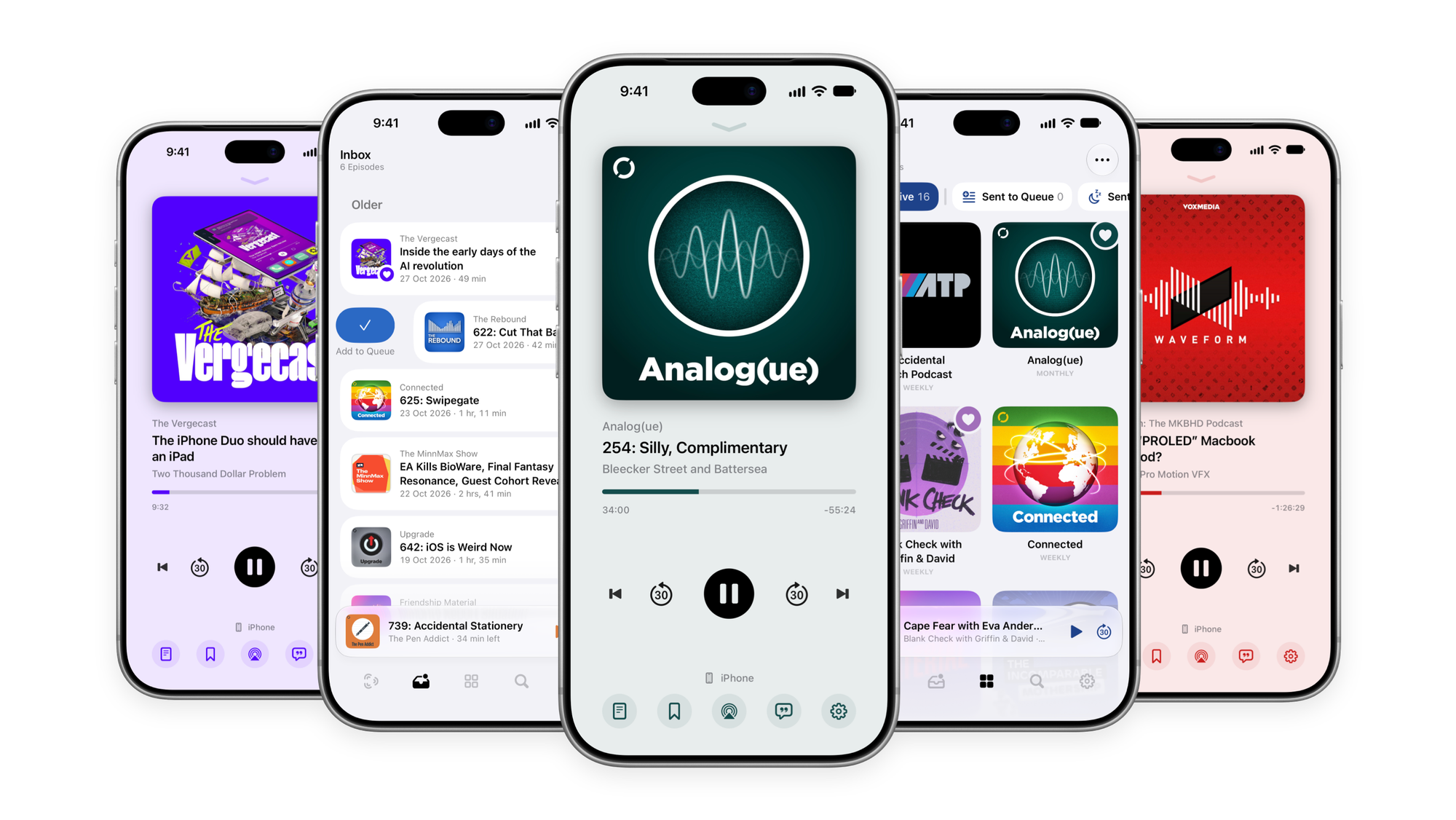
Naming projects is one of my favourite things to do, but this one was a real challenge. I went down all sorts of avenues, from Greek mythology to the physics of sound waves to the bones in the ear canal, nothing felt quite right. Anything I did like was long since spoken for. So it made sense to move away from terms relating to sound and broadcasting, instead I went for a portmanteau of what Tripod is all about: Podcast Triage.
Inbox
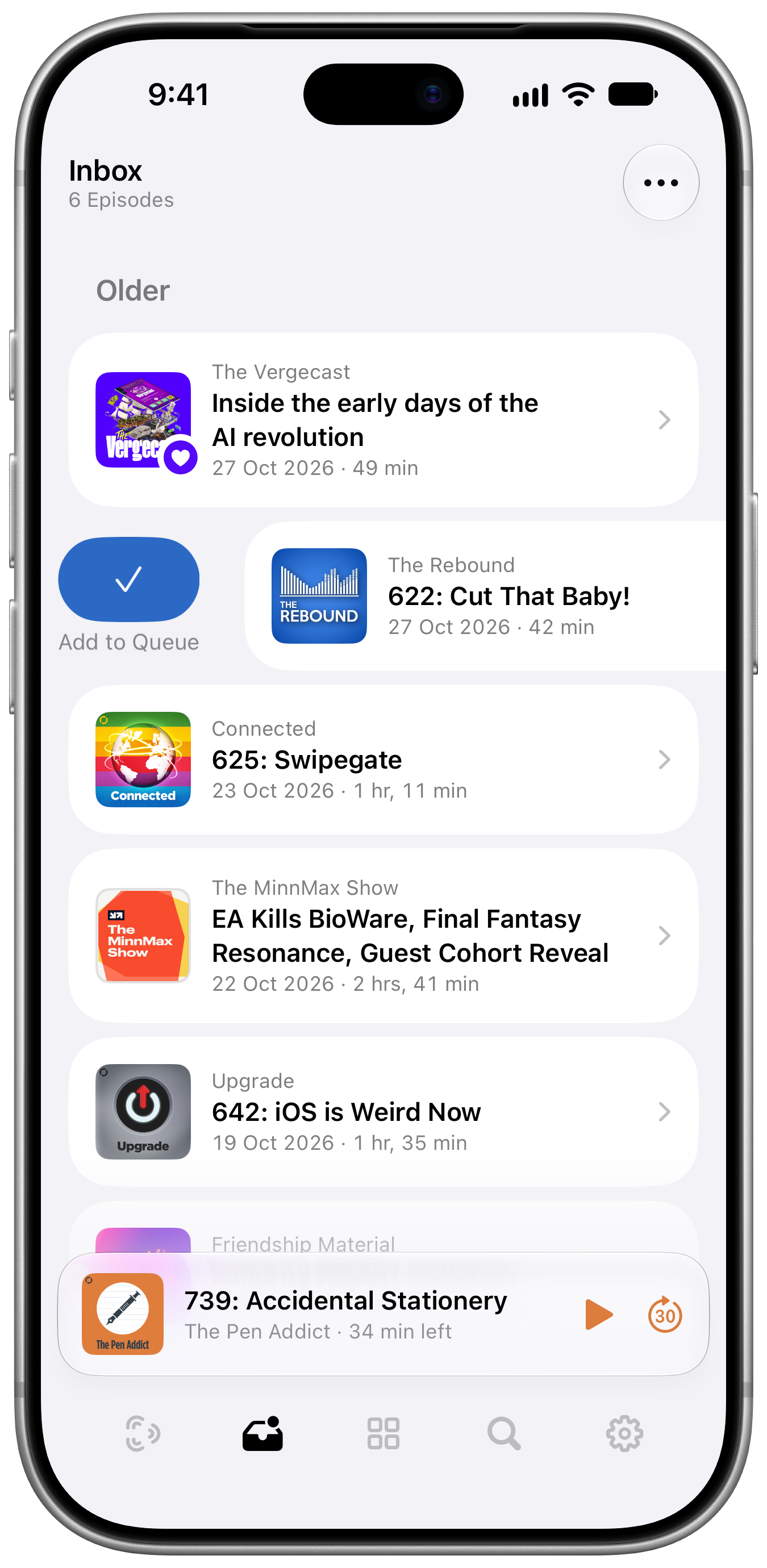
Very much inspired by Castro, Tripod is built around an inbox system. New episodes arrive in the inbox where you can quickly choose to keep or ignore them. It’s a really nice system for shows with varying topics, or that cover things like movies or books, where some episodes will appeal to you and some won’t. For the shows you know you want to listen to every episode of, you can bypass the Inbox entirely. The whole app is designed to give you as much control as possible, with as little fuss as possible. It even learns from your behaviour and will suggest new settings for shows you always keep or always skip.
Queue
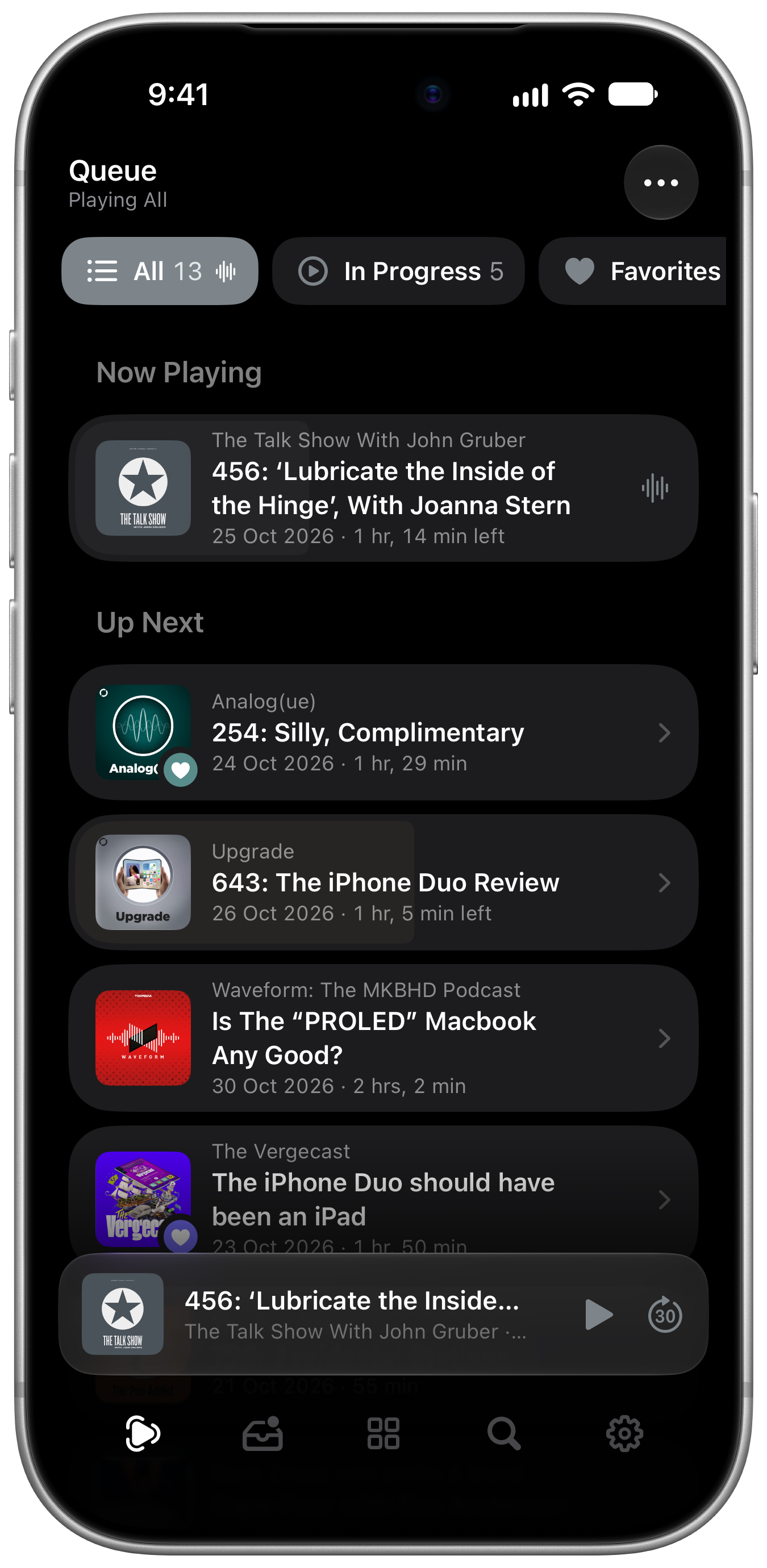
The Queue is at the centre of many of Tripod’s innovations. I really wanted to nail the experience of letting users listen to what they want, in the order they want, without requiring complex automation systems.
Tripod has a primary queue, that contains all the episodes you’ve lined up listen to. You can sort by newest or oldest, by time remaining, manually by dragging episodes around, or automatic, that prioritises episodes based on a bunch of factors (like favourites, recency, episode completion, etc). Everyone is going to have their own preference for how to listen, but you can instantly switch between sorting options at any time.
There are also automatically created queues that will show a subset of these episodes. There’s a queue for favourites, a queue for short episodes (under 30m), and a queue for each genre. Empty queues are automatically hidden. They’re kind of like playlists, if playlists required zero effort to manage. I think it’s brilliant and one of the most “it just works” features I’ve ever built. If you’re in the mood for news, jump to your news queue, if you want just your favourites, all it takes is a tap.
There’s also one special queue, inspired by to-do app, Things, called Someday. Someday is a queue for all the episodes you know you want to listen to, but they aren’t necessarily the most timely. Maybe it’s a movie review of a film you haven’t had a chance to see yet, or a history podcast you’re slowly working your way through. Episodes in Someday don’t show up in the other queues, so you can hide the clutter of shows you don’t need to see right now. You can bring episodes back to the queue at any time, or just play your Someday queue to work through your backlog. I think it’s just the right level of organisation.
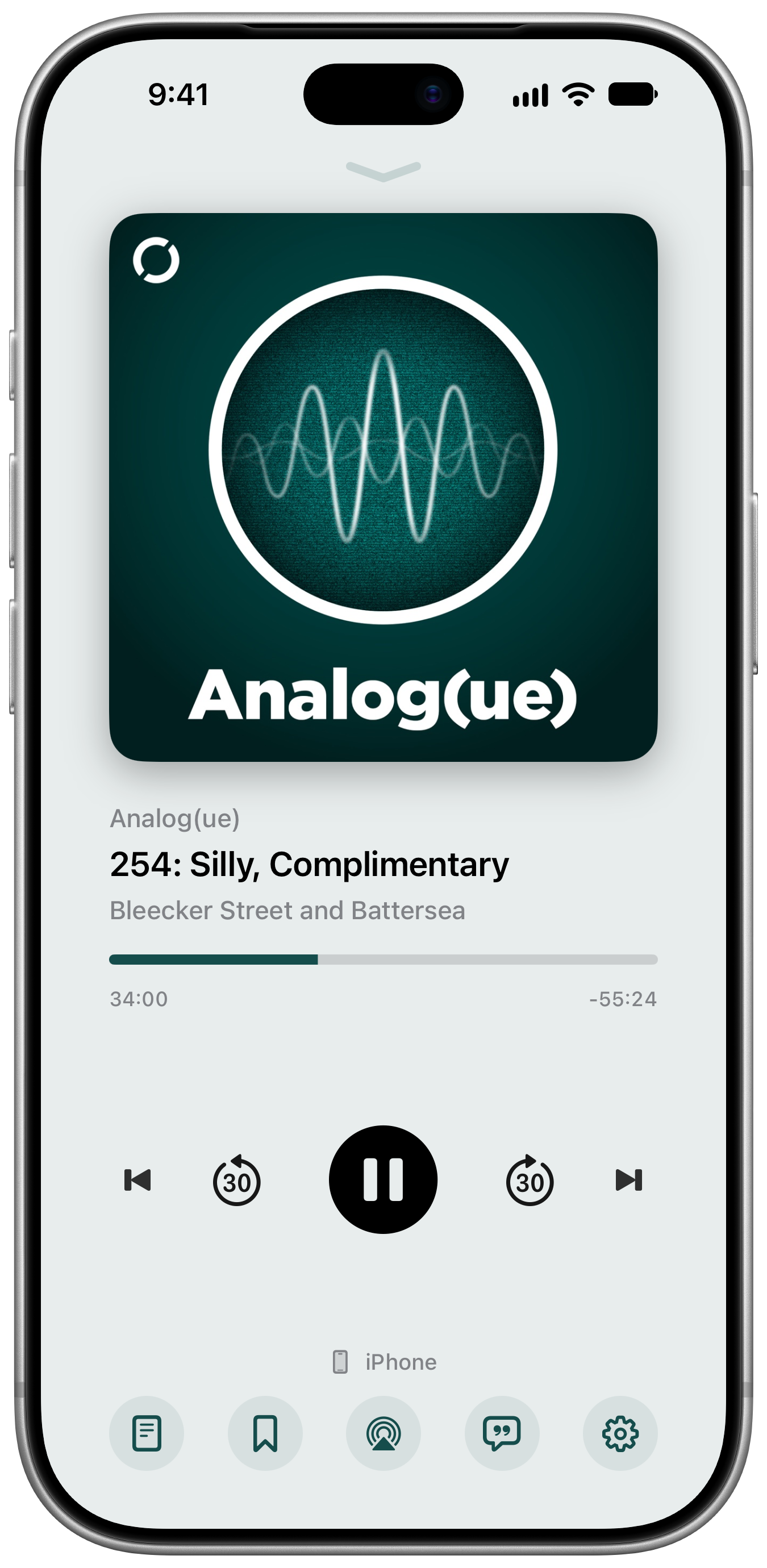
Now Playing
The heart and soul of any audio app is its playback screen and it’s a tricky one to get right. There are a lot of controls, interactions, and information to squeeze into a small amount of space. But I’ve spent the last decade working on a camera app, trying to tackle this kind of problem and I have learned a thing or two about making complicated controls seem intuitive and gorgeous.
Here’s a few choice details:
- You can swipe from the left edge or downwards from anywhere above the progress bar to dismiss. It should help prevent accidental dismisses when using the controls.
- In addition to the buttons at the bottom, you can swipe up on the artwork to reveal a horizontal “carousel” containing shownotes, chapters, transcripts, and audio settings.
- Long press the chapter forward or back buttons to skip to the next episode or the start of the current one, with some nice haptic effects that build up before it activates.
- You can drag the progress bar to change the playhead but it also snaps to the start of each chapter (and snaps over disabled chapters) with a little haptic effect. It feels so nice you’ll wish you skipped chapters like this more often. Inspired by Apple Podcasts, but I think improved upon with the support for disabling chapters.
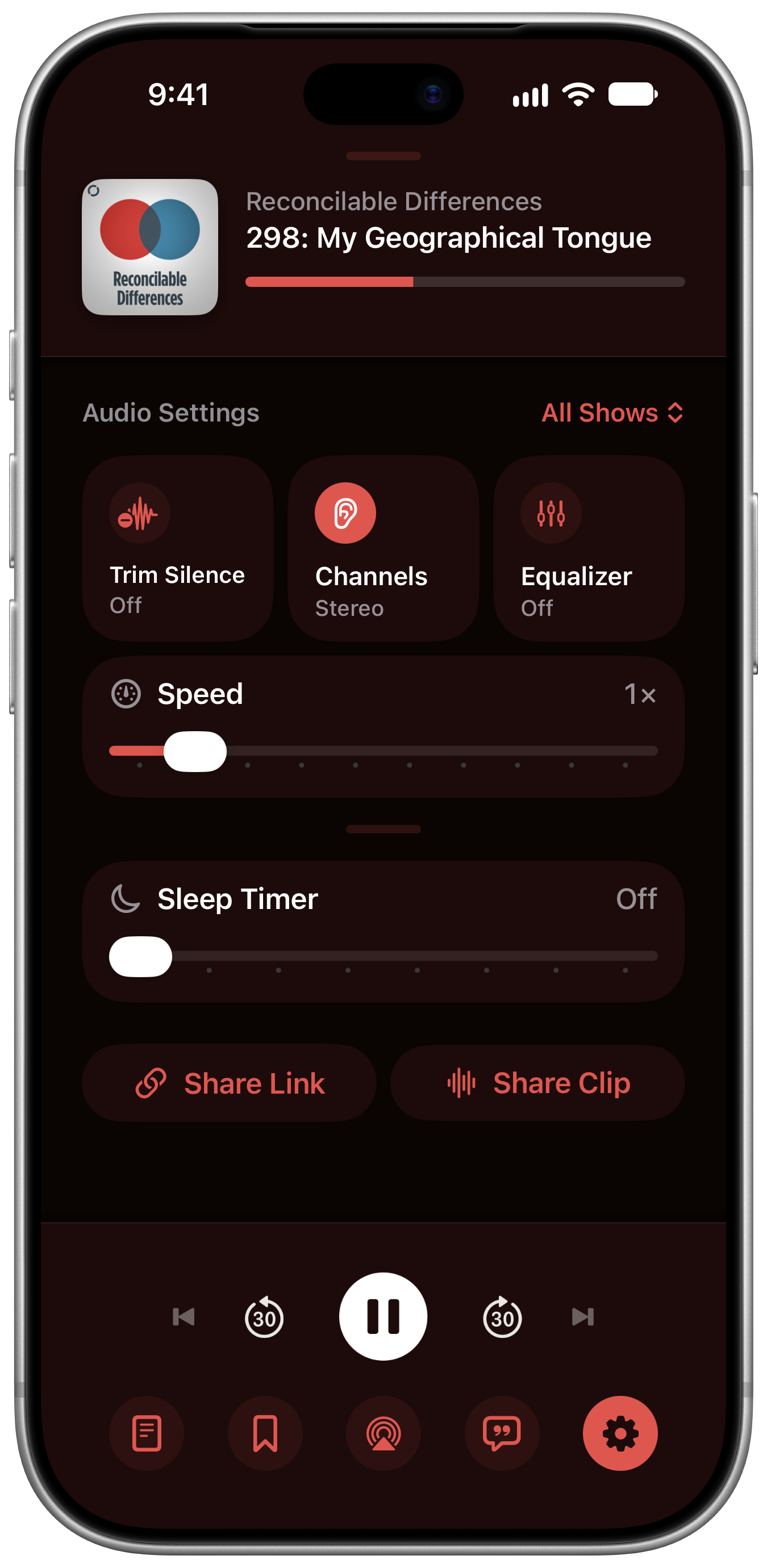
Audio Settings
Tripod has a bunch of audio settings to provide your ideal listening experience. Speed up or slow down audio, trim silence for that pro-production sound, or use the EQ to adjust the balance.
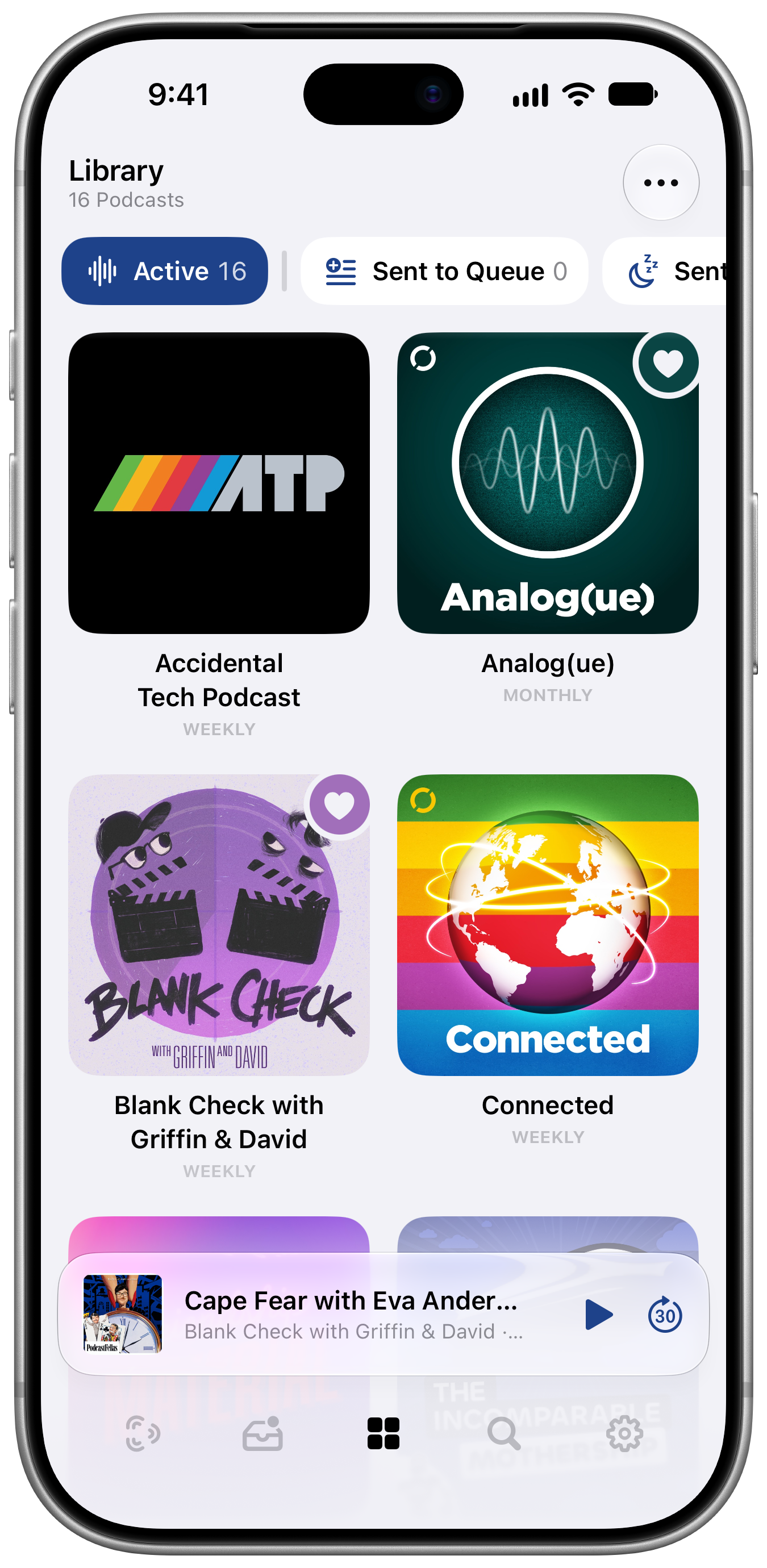
Library
One of the beta testers suggested adding a grid layout for the library and a day later, I made it the default. There’s something really delightful about seeing all this vibrant artwork arranged together. I spent a silly amount of time getting the heart icons for favourites just right. The radius of the heart matches the artwork and it samples the artwork colours in clever ways to compliment the art while remaining legible.
Search
Okay I’ll admit, Search is kind of the afterthought tab. It might not be as visually exciting as the other tabs, but there are a few neat features here, and the potential for lots more. One feature is a real “I can’t believe no one else thought of this before” type feature: Tripod will surface promo codes from the shownotes of recent episodes, letting you easily copy them and go to the linked site. You could almost say that Tripod is saving you money.
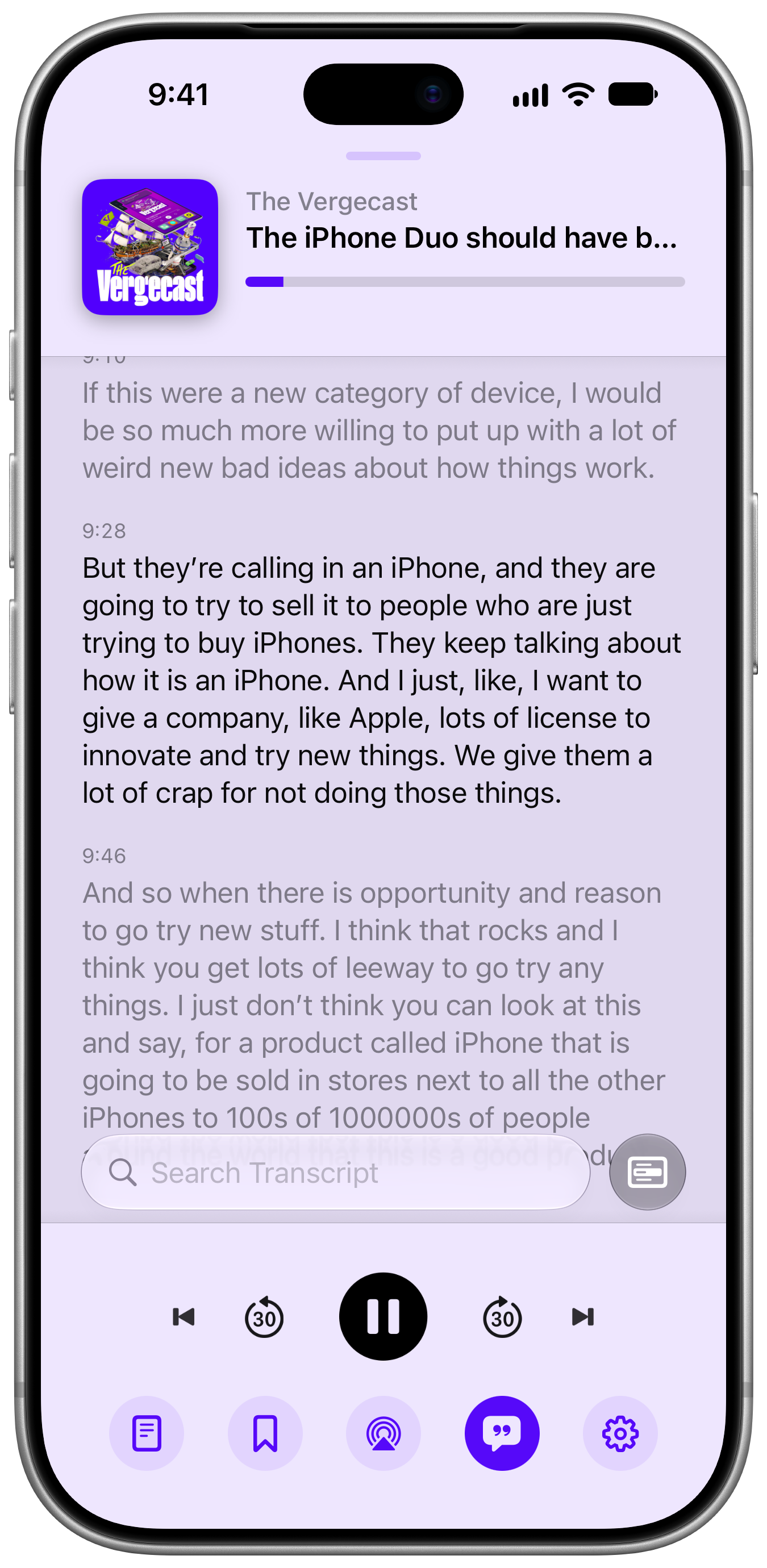
Transcripts, Chapters, & Intelligence
Some podcasts include chapters and transcripts as part of their metadata, but many (most?) do not. Tripod uses on-device intelligence (if available) to generate transcripts if needed and from those transcripts, create chapters if needed. Naturally they aren’t always perfect, but they can be very helpful in a pinch.
Tripod will also try to work out the hosts and guests of each episode, so you can find other shows and episodes that they appear on. It’s very cool when it works and hilarious when it fails. No, “Resident Evil” is not a person just because it’s in title case. Alanis Morissette is a person but she does not regularly guest on tech news shows. To the best of my knowledge. I hope I can improve this over time because I think it could provide the foundation for a very effective recommendation system.
In future, the plan is to have a backend that devices can automatically share transcripts and chapters, reducing the overall amount of work that needs to be done. But that seemed like a big enough undertaking to leave until after launch.
Notifications
Since Tripod has no backend just yet, notifications arrive when Tripod is allowed to run in the background to check for new episodes. This is not ideal, but I think it works well enough for launch. No need to email me about it, I’ll try to get that sorted as quickly as I can. On the upside, notifications have context menu actions when long pressed, so you can do triage right from your lock screen.
Everything else
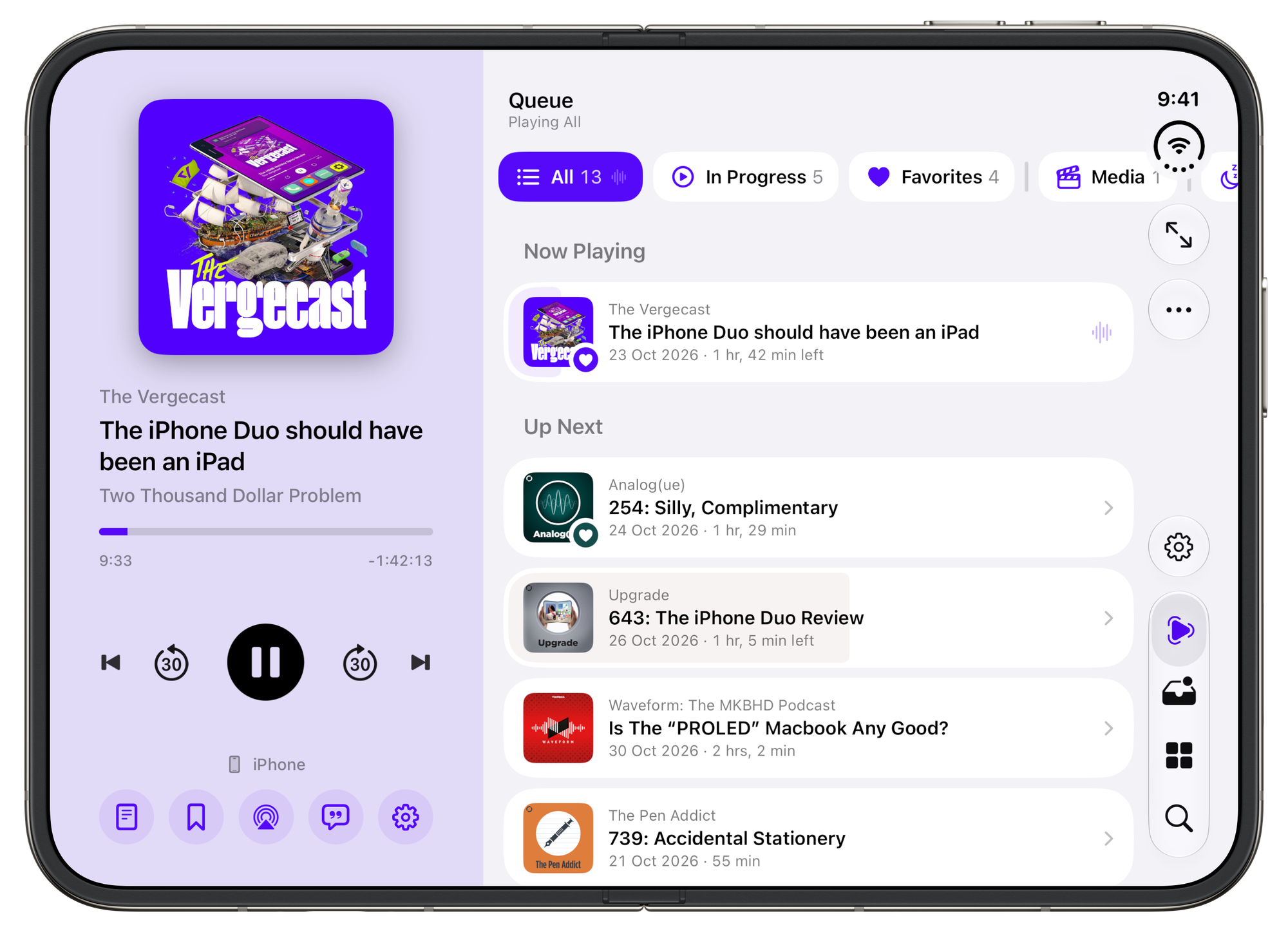
iPhone Duo
I couldn’t launch an app in late 2026 without iPhone Duo support right? Tripod takes full advantage of the Duo’s display, adjusting layouts, putting controls in the vertical toolbar, all the good stuff.
Support for iPad and Mac will happen soon, but I wanted to focus on iPhone for the launch.
Themes
Tripod’s default theme is Adaptive. It pulls colours from the artwork of what’s playing and what you’re looking at as you browse the app. It makes the whole app feel more personal and tied to the shows you listen to. If you prefer you can also set the app to use a single tint, or even monochrome (including images and artwork if you’re feeling really minimal).
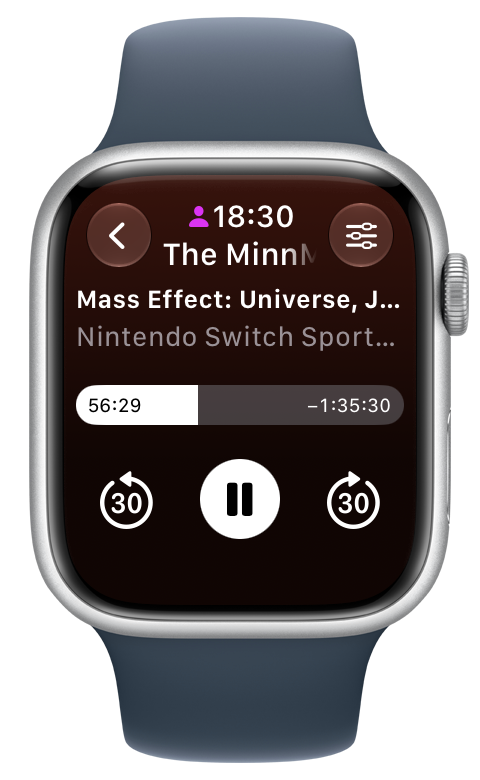
Apple Watch
A good podcast remote is one of the most essential apps on the Apple Watch. Tripod on the watch lets you quickly choose what to play, jump between queue, adjust audio settings, and skip chapters. It also has one of my favourite details in all of Tripod, a cleverly hidden volume control that only shows when you need it.
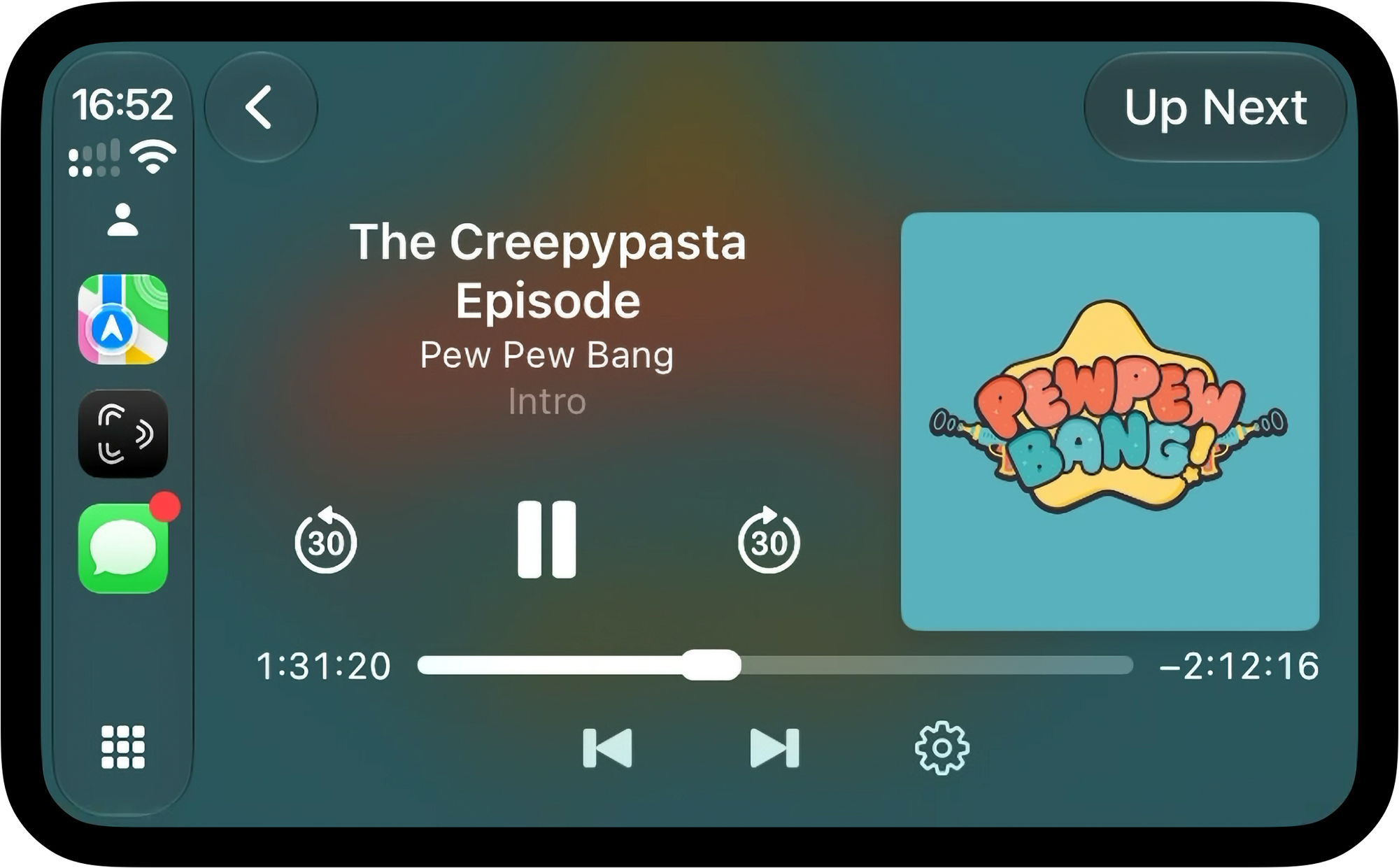
CarPlay
By far the most requested features from my beta testers. I don’t drive so CarPlay seemed like a nice thing to get to at some point down the road, but the testers, they demanded it. I have yet to acquire a CarPlay unit for testing but I’ll do my best to improve this as quickly as I can.
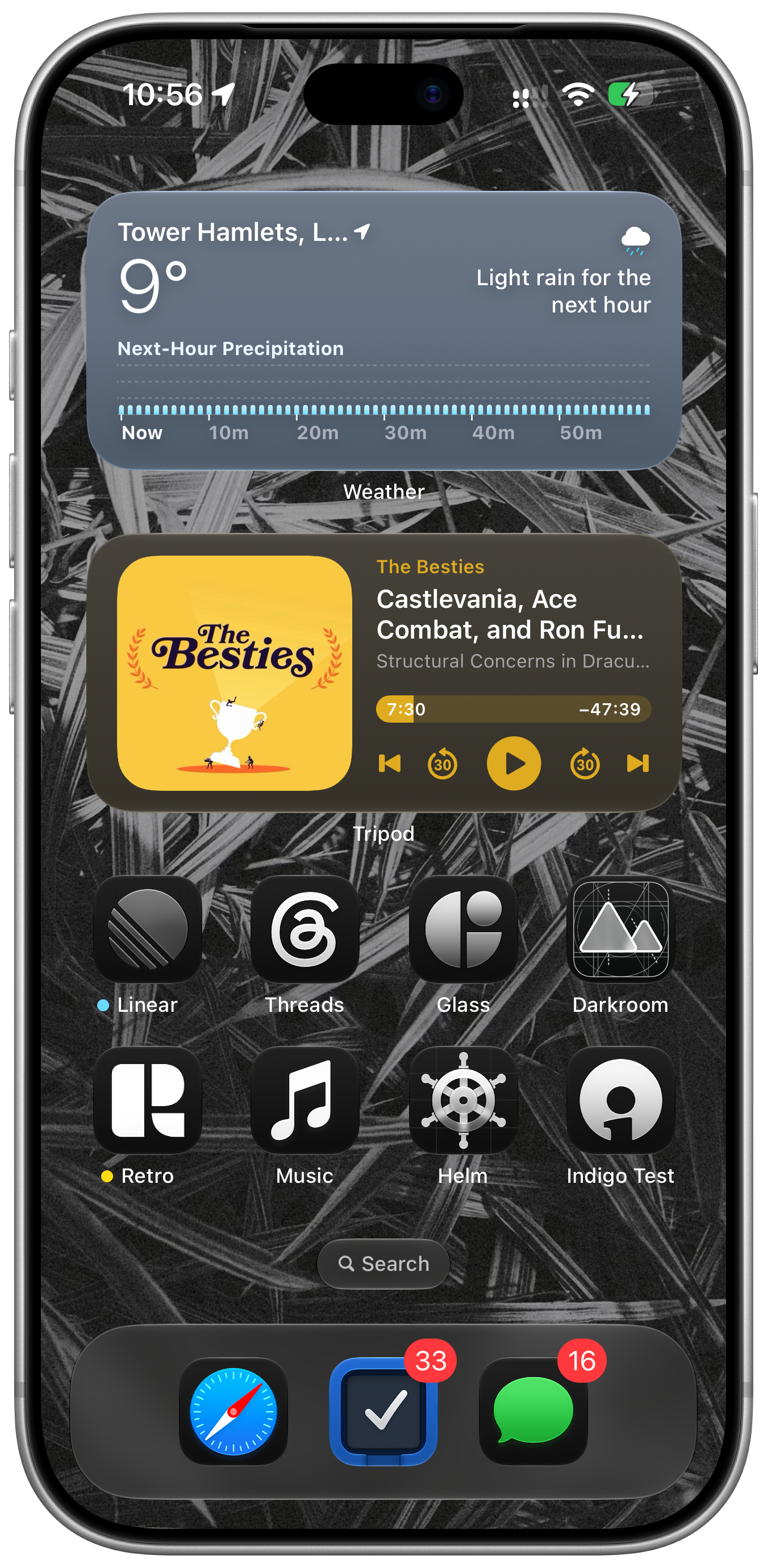
Widgets
Tripod has widgets for your Home Screen (not the lock screen just yet) that let you quickly control playback or choose what to play next, and like the rest of the app, adapt to match the appearance of what you’re listening to.
Shortcuts, Intents, Siri, and Spotlight
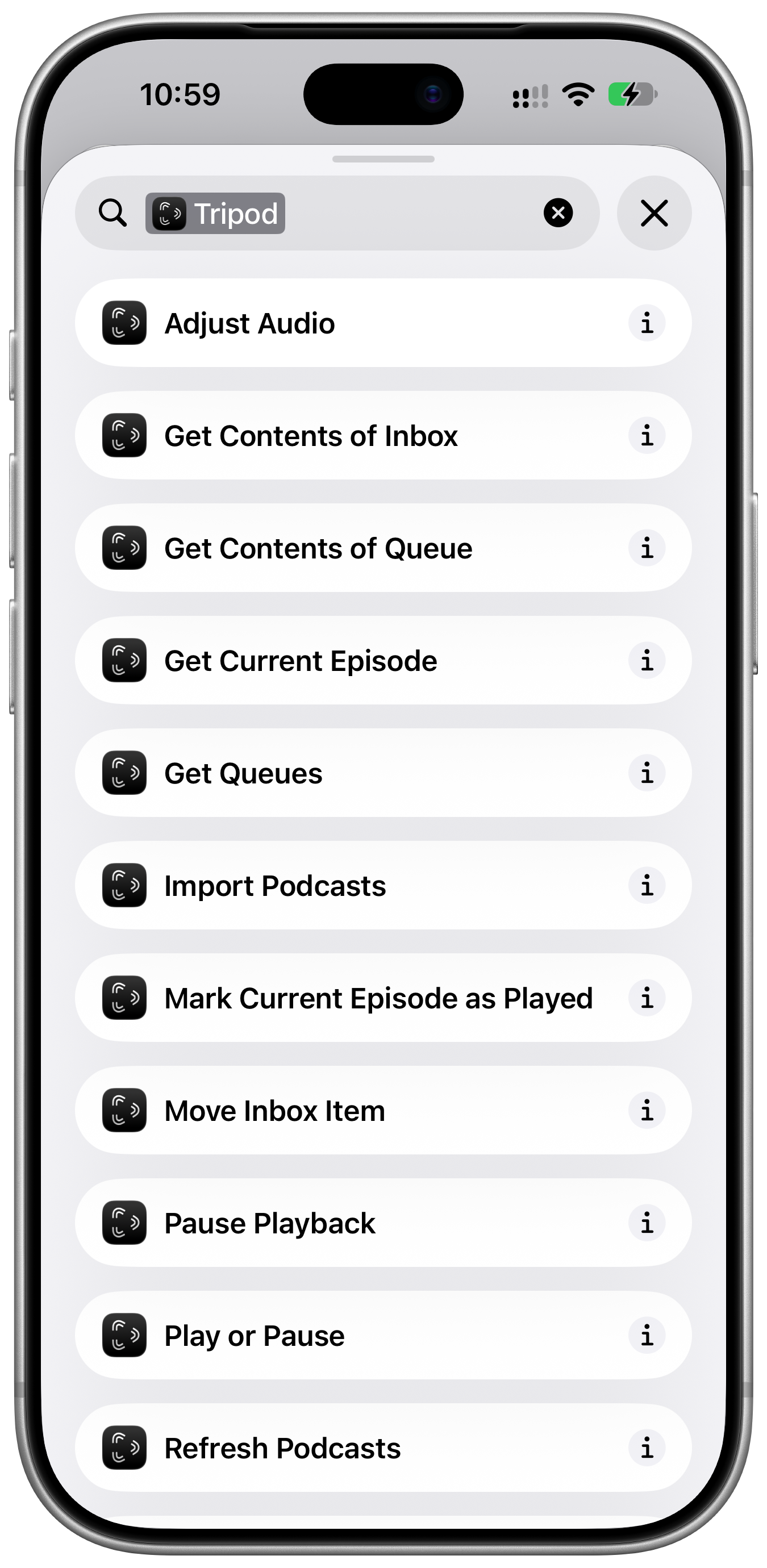
Tripod has shortcuts that let you start playback, adjust audio, and get info about your queues and inbox. More to come soon. Automation sickos, let me know if there’s anything you’d like to see added. It’s not my area of expertise but I think there’s a lot of room to do cool stuff here.
Clip Sharing
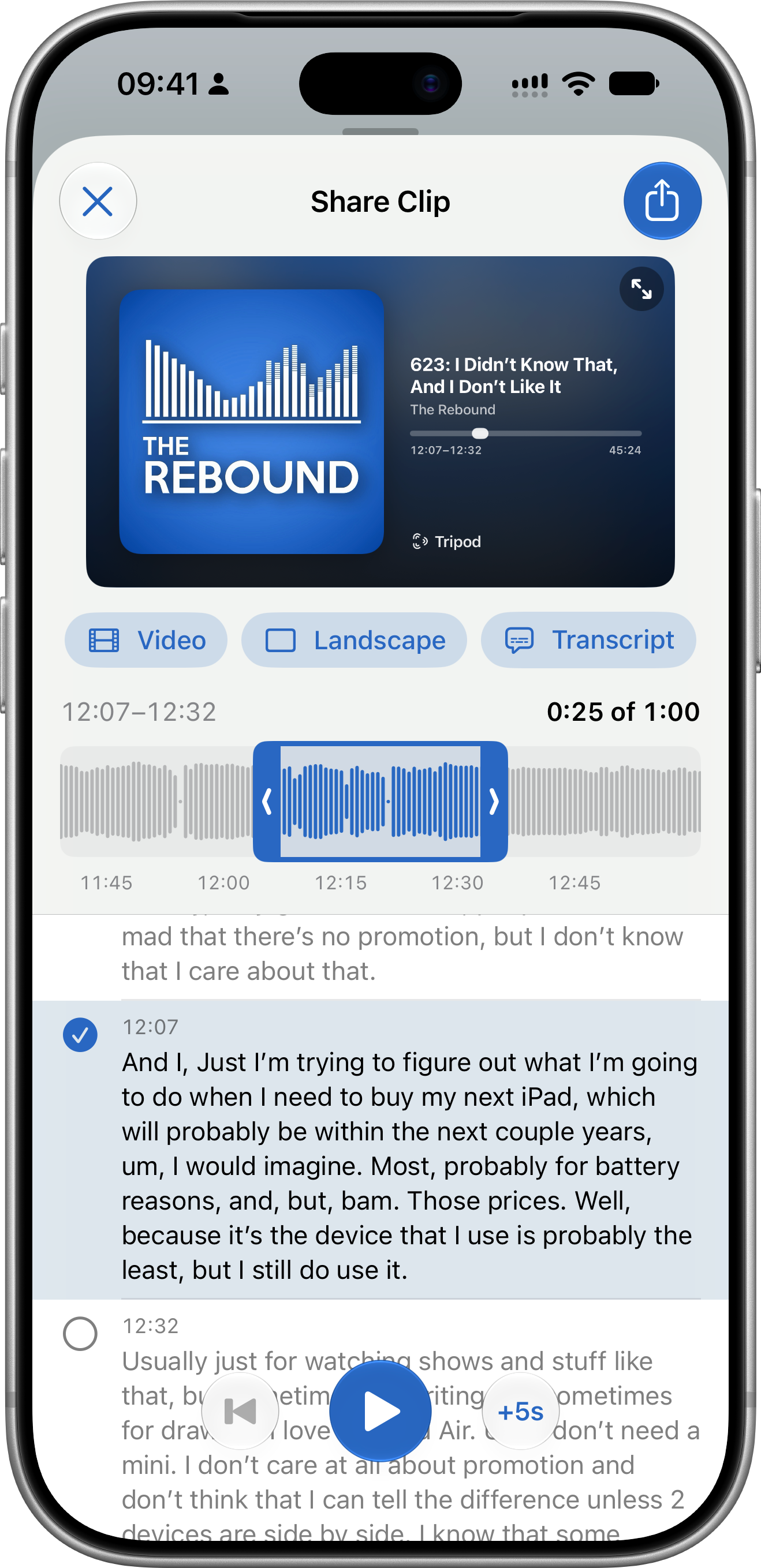
Tripod has support for sharing clips of the episode you’re currently listening to and you can use the transcript to easily choose a start and end point. I think it speeds up the process dramatically and hopefully encourages you to share more often.
Easter Eggs
There’s a few podcast-specific easter eggs hidden in the app, I’m sure I’ll think of more as time goes on.
Pricing
Tripod is $19.99 per year or $2.99 per month. There a free trial (1 week for monthly, two weeks for annual) and until the end of November you can get the free trial and your first year for $14.99 by using this link.
I do want to give a huge acknowledgement to Marco Arment, Oisín Prendiville, and Pádraig Ó Cinnéide. Their work on Overcast and Castro has been a huge source of inspiration and influence, it would really be impossible not to after the amount of time I’ve spent using them over the years.
I’m blown away by how far this has come in the space of a month. I’ve no doubt that plenty of rough edges and edge cases will turn up over the next few weeks but overall, I’m incredibly proud of the state Tripod is launching in.
I hope you love it as much as I do,
Ben


